
Can you replace a satellite dish with a Smart TV and still watch live sports and Greek dramas without buffering?
This guide will show you how to watch IPTV Greece on Smart TV and other devices. It covers delivery methods like m3u and m3u8 playlists, Xtream Codes API, portal URLs, and native apps. You’ll learn which one is best for your setup.
It offers practical tips on apps like IPTV Smarters Pro, TiviMate, Smart IPTV, IBO Player, and VLC. You’ll also find out when a MAG set-top box or Fire TV Stick is better. It explains how to activate keys, MAC provisioning, and the speeds needed for smooth streaming: at least 20 Mbps for HD and more for 4K or multiple streams.
The guide stresses the importance of testing trials and checking provider terms. This includes simultaneous stream limits, device compatibility, and refund policies. If you want to watch IPTV Greece confidently, this section prepares you for the detailed setup guide that follows.

Key Takeaways
- IPTV Greece on Smart TV supports multiple delivery methods: M3U, M3U8, Xtream Codes API, and portal URLs.
- Common players include IPTV Smarters Pro, TiviMate, Smart IPTV, IBO Player and VLC.
- Minimum recommended speed is ~20 Mbps for a smooth single HD stream; increase for 4K or multiple users.
- Many Greek providers require an activation key or MAC address for provisioning.
- Always test trials and confirm provider terms, device compatibility, and simultaneous stream limits before buying.
Smart TV IPTV Apps
Choosing the right player makes watching Greek channels easier. This guide compares popular players. It explains how they accept playlists and portal URLs. It also gives tips to get live TV and VOD running on your Smart TV.
Popular Smart TV options
Smart IPTV Greece is a top choice for Samsung and LG users. It has a web uploader and easy channel layout. IPTV Smarters Greece is great for Android sets, supporting Xtream Codes API and VOD.
SS IPTV is good for simple playlist support and EPG links. Fire TV users often choose IBO Player and IBO PRO after sideloading. TiviMate is recommended for Android TV boxes, offering a polished guide and playlist management.
How apps accept M3U, Xtream Codes and portal URLs
Smart IPTV uses a web uploader at siptv.eu/mylist. You add M3U or M3U8 links, XMLTV EPG, and picons. Make sure tvg-id values and tvg-logo full paths are correct to keep channel icons and EPG aligned.
IPTV Smarters Greece accepts Xtream Codes API credentials and direct M3U links. It often pulls EPG via the API and supports live streams, VOD, and EPG mapping in one interface.
SS IPTV handles external playlists through Content > External Playlists or via a device code and web dashboard. It supports M3U playlists and XMLTV EPG links for reliable scheduling and guide data.
Portal-style provisioning uses MAC addresses and portal URLs on MAG and STB emulators. Providers may push configuration to STB-style apps while many Smart TV apps require manual upload or provider activation using the TV MAC or key.
App availability and activation tips
Some apps carry activation fees or vanish from official stores. For Fire TV, enable Downloader and unknown sources to sideload IBO PRO or other APKs. On Android TV, use the Play Store or sideload when necessary. Keep app and TV firmware updated to avoid playback issues, but disable auto-update for sideloaded apps to prevent overwriting.
When uploads fail, test M3U links in VLC to check for URL errors. Verify DNS and provider-side support if the playlist won’t load. If a web uploader requests a TV MAC, supply the exact MAC shown in the app to allow provider activation.
Quick compatibility checklist
- Confirm app supports M3U/M3U8 or Xtream Codes API before purchasing a subscription.
- Ensure EPG uses XMLTV format with correct tvg-id and tvg-logo paths for accurate guide mapping.
- Use VLC to validate playlists and check stream links when encountering “check URL” messages.
- For Fire TV and older Android sets, keep sideloading steps and unknown source settings handy.
IPTV Setup Step by Step
First, check what your subscription offers. See if it’s an M3U link, Xtream Codes API, portal URL, or native app. You’ll need the M3U URL, Xtream username and password, XMLTV EPG link, picon URLs, and the TV MAC address or activation key.
Do a speed test on Speedtest.net to check your download speed, jitter, and packet loss. Make sure you know about trial availability, refund policy, and how many streams you can watch at once. These steps help make setting up IPTV in Greece easier and avoid surprises.
Pre-setup checklist
Confirm your subscription type and gather all the necessary credentials. Check if the provider supports EPG and picons and note your preferred player apps. Keep your credentials handy on your phone or a secure note for quick entry when installing the player.
Test your network connection near the TV. If you’re setting up a Smart TV IPTV, use Ethernet. If not, use 5 GHz Wi‑Fi and place the router close to the TV to reduce interference.
Preparing your Smart TV and network
Set your router DNS to reliable public options like Google (8.8.8.8 / 8.8.4.4). Update your router firmware and enable Quality of Service (QoS) to prioritize streaming traffic. Choose the least congested Wi‑Fi channel and enable 5 GHz band for better throughput.
If cabling is hard in flats, consider powerline adapters or a mesh Wi‑Fi system with wired backhaul. These solutions help keep buffering low and stabilize your IPTV setup in Greece.
Installing and configuring the player
On Samsung Tizen or LG webOS, install Smart IPTV or SS IPTV if available. If there’s no native app, use an external Android TV box or Amazon Fire TV Stick to run Android apps.
For Fire TV, enable apps from unknown sources and install Downloader to sideload APKs like IBO PRO. On Android TV boxes, install IPTV Smarters, TiviMate, or IBO from Google Play. Use the Xtream Codes/API option when the app supports it for faster provisioning.
MAG and STB-style boxes accept portal URLs or direct M3U. Provide the MAC address if the vendor requires activation. In any player, add the M3U URL or enter Xtream credentials. If using M3U setup Greece, include the XMLTV EPG URL and picon links where the app allows.
Testing streams and VOD
Open several live channels, including ERT and Nova Sports, at peak hours to observe CDN stability and buffering. Test VOD playback to ensure on-demand files start promptly and skip without stalling.
Use VLC on a PC to open the raw M3U or test individual stream URLs. This reveals codec info like H.264 or HEVC and helps validate whether the stream matches your TV hardware.
Check EPG mapping and picons in the player. Do cross-device tests during any trial by trying Smart IPTV, TiviMate, and Kodi to confirm consistent behavior. If buffering persists, close background apps, switch to Ethernet, lower stream resolution, or request alternate CDN links from the provider.
| Step | Action | Why it matters |
|---|---|---|
| Credentials | Collect M3U, Xtream, XMLTV, MAC or activation key | Prevents delays during player setup and activation |
| Network check | Run Speedtest, enable QoS, set DNS | Reduces buffering and packet loss for stable streams |
| App choice | Install Smart IPTV, SS IPTV, TiviMate, or IPTV Smarters | Ensures compatibility with playlist type and EPG |
| Device use | Prefer Ethernet or 5 GHz Wi‑Fi; consider powerline or mesh | Improves throughput and reduces interference in apartments |
| Stream tests | Test live channels and VOD; use VLC for raw URL checks | Validates codecs, CDN stability, and EPG accuracy |
| Troubleshoot | Lower resolution, close apps, change connection, contact provider | Quick fixes before deeper diagnostics or swaps |
Best Smart TVs for IPTV
Choosing the right TV or streaming box is key for smooth IPTV streaming in Greece. Look for devices that handle H.264 and H.265 well. They should also offer stable network options and support your preferred apps.
Samsung and LG TVs are known for their excellent displays and user-friendly interfaces. Samsung Tizen IPTV and LG webOS IPTV are great for many users. However, some niche IPTV players might not be available on these platforms.
Sony and other Android TV sets, along with Google TV devices, have a wide range of apps. Sony Android TV IPTV supports TiviMate and IPTV Smarters directly from Google Play. This makes managing channels and EPGs easier for users who need advanced features.
Apple TV can play many provider apps and Smarters Player Lite. But, it needs third-party tools or a companion device for direct M3U handling. Apple TV is still a good choice for households that value simplicity in their IPTV setup.
Consider using an external box or stick if native apps are missing or sideloading is needed. The Amazon Fire TV Stick and Android TV boxes are popular choices. Fire TV Stick, for example, can sideload apps like IBO PRO with Downloader.
External devices offer easier sideloading and a wider range of apps. They often support better codecs and get app updates more frequently. For homes with multiple users, choose boxes with strong CPUs and at least 4 GB of RAM. This ensures all apps and streams run smoothly.
When it comes to high-quality IPTV in Greece, hardware and codec support are crucial. Make sure the TV or box supports hardware decoding for H.264 and H.265 (HEVC). This reduces CPU load and lowers the risk of stuttering for HD and 4K streams.
| Platform | Strengths | Limitations |
|---|---|---|
| Samsung Tizen IPTV | Great displays, polished UI, native provider apps available | Smaller third‑party app selection, limited sideloading |
| LG webOS IPTV | Fast interface, reliable playback, Smart IPTV often supported | Some advanced players missing from store |
| Sony Android TV IPTV | Full Google Play access, works with TiviMate and IPTV Smarters | Occasional firmware differences across models |
| Amazon Fire TV Stick / Android TV box | Easy sideloading, wide app choice, good codec support | Some models need setup for best network performance |
| MAG / STB-style boxes | Native portal support, stable 4K playback, MAC provisioning | Basic UI, fewer modern smart features |
Troubleshooting Tips
When streams act up, quick checks can save a lot of time. Start with simple tests to figure out if the problem is with the playlist, your network, or the player. Keep the steps easy and repeat them to fix IPTV Greece issues quickly.
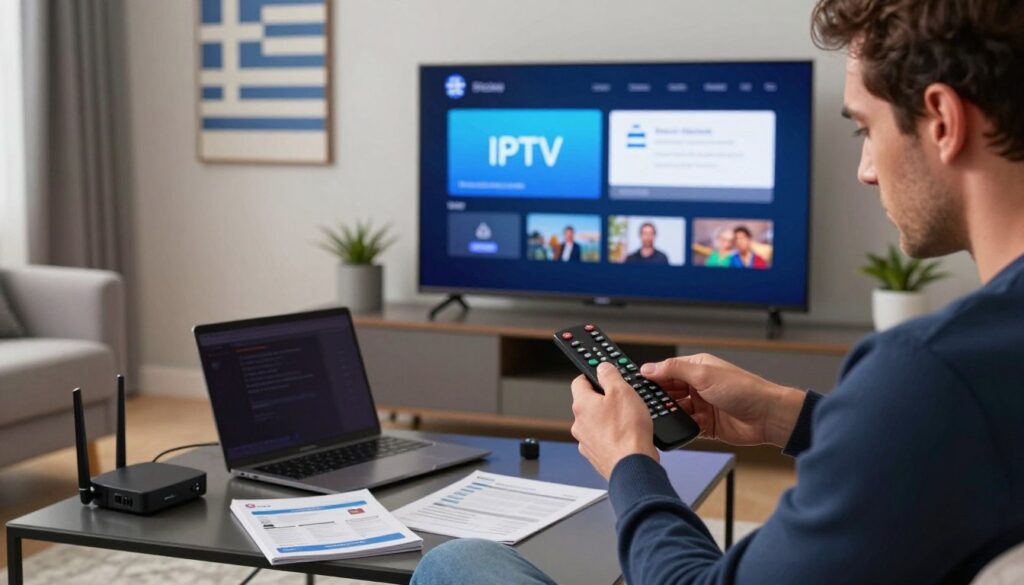
Common errors and quick fixes
Errors like “check URL” often mean the M3U link is wrong or blocked. Try adding the M3U link again, test it in VLC, and ask the provider to check the link. Also, change your DNS to 8.8.8.8, reboot your router and device, and see if it solves the problem.
Login issues with Xtream Codes usually come from wrong credentials or expired accounts. Double-check your username, password, and server URL. If your account is inactive, ask the vendor to send new credentials.
Activation or MAC provisioning can sometimes get stuck on some Greek providers. Send your MAC or the app-generated key to your vendor. Many use WhatsApp for quick activation, so have that ready.
Network-related buffering solutions
If you keep seeing buffering IPTV Greece, check your connection quality with Speedtest.net. Look for packet loss and jitter. Try switching to wired Ethernet to see if buffering stops.
Enable QoS on your router to make sure your streaming device gets priority. Use the 5 GHz band when you can, place your router in the middle, and reduce interference from other devices. Consider using powerline adapters or a mesh system for stable internet.
Try lowering the stream resolution or use HEVC streams if your device supports them. Pause any background downloads and stop other streaming sessions to free up bandwidth.
App-specific troubleshooting
Smart IPTV users should re-upload playlists via the web uploader. Make sure tvg-id and tvg-logo use full URLs. Wait for the success message, then restart the app to get the updated list.
IPTV Smarters users can switch between API and M3U modes to find the best one. Clear the app cache, update both the app and your OS, and add XMLTV EPG manually if it’s missing.
For sideloaded apps on Fire TV, ensure Downloader has unknown sources enabled. Keep Fire OS updated. If the app crashes a lot, try clearing the cache or reinstalling it.
Use VLC to test single stream links and check codec compatibility. If VLC plays the stream but your player doesn’t, it’s a player issue. If VLC can’t play it either, the problem is likely with the server or playlist.
| Symptom | Quick Checks | Action to Fix |
|---|---|---|
| Playlist unreachable | Test M3U in VLC, verify URL | Re-add link, change DNS to 8.8.8.8, contact provider |
| Login error (Xtream) | Verify username/password/server | Request reissued credentials, confirm account active |
| Persistent buffering IPTV Greece | Run Speedtest, check packet loss/jitter | Use Ethernet, enable QoS, lower resolution |
| Missing EPG or logos | Check tvg-id and tvg-logo URLs | Add XMLTV manually, fix logo paths, re-upload playlist |
| App crashes on Firestick | Check Fire OS, app permissions | Enable unknown sources, clear cache, reinstall app |
| Unknown stream error | Play stream in VLC to isolate issue | Contact provider if server-side, change player if client-side |
IPTV Greece
Greek viewers get a wide range of channels and modern features with IPTV Greece packages. You’ll find national broadcasters like ERT 1/2/3, ANT1, and MEGA. Also, regional channels TV100 and Crete TV are common. Sports fans will enjoy Nova Sports and similar feeds on higher plans.
Most packages come with EPG support, on-demand libraries, and catch-up TV. They also offer cloud DVR. Providers give picons and detailed tvg-id mapping for better guides. You can stream on multiple devices and use apps on Smart TVs, Android boxes, and mobile phones on higher tiers.
What to expect from Greek IPTV packages
Expect a mix of free-to-air and subscription channels. Entry tiers have core Greek channels and basic VOD. Standard plans add more sports and multi-screen support. Premium plans offer 4K streams, extensive VOD, and cloud DVR.
Check the EPG format and picon support if you need accurate guides.
Pricing and simultaneous stream limits
Greek IPTV prices depend on features and reliability. Here are common monthly ranges:
- Basic: €5–€15 — core Greek channels, limited VOD, usually 1–2 simultaneous streams.
- Standard: €15–€35 — larger VOD, multi-screen support, typically 2–4 simultaneous streams.
- Premium: €35–€55+ — 4K content, cloud DVR, often 4+ simultaneous streams.
Reputable providers aim for 99.5–99.9% uptime. They use CDN and anti-freeze tech. Always check simultaneous stream limits during a trial.
Legal and legitimacy considerations in Greece
Legality depends on channel and sports distribution rights. Choose licensed services and official apps like ERTFLIX for state content. Unlicensed streams can be shut down and may lead to legal issues.
Read provider terms, refund policies, and licensing claims carefully. Many providers accept cards, PayPal, and cryptocurrency for payments. Think about the trade-off between anonymity and buyer protection when choosing a payment method.
Using M3U, Xtream Codes and XMLTV
Working with playlists, server logins, and TV guide files is easy when you know their roles. This guide explains how M3U Greece files, Xtream Codes Greece credentials, and XMLTV EPG Greece feeds work together. It shows how to set up logos and check if channels map correctly in your iptv greece setup.
Difference between playlist files and server portals
M3U and M3U8 are plain-text playlists that hold channel metadata like tvg-id, tvg-name, and tvg-logo along with stream URLs. Players like VLC, TiviMate, and IPTV Smarters read those lists directly.
Xtream Codes API uses a server URL, username, and password. The API returns channels, VOD, and EPG server-side. This means the app populates content without manual parsing of M3U lines.
Portal URLs and STB portals are used by MAG boxes and STB emulators. Devices use a MAC address and portal path to download bouquets and EPG automatically from the provider.
Setting up XMLTV EPG and picons
Get the XMLTV URL from your provider and make sure tvg-id values in the M3U match XMLTV ids exactly. Exact matches ensure program listings attach to the right channel in TiviMate and Smart IPTV.
Smart IPTV accepts XMLTV and picons via the web uploader. TiviMate and IPTV Smarters accept XMLTV URLs in their settings and offer time-shift adjustments for offset guides.
Picons should be hosted on a public server or provided by the vendor. Include full URL paths in tvg-logo fields so players fetch images reliably. In Kodi, enable PVR IPTV Simple Client, add the M3U playlist and XMLTV URL, then point picons to the userdata icons folder or to hosted URLs.
Validating playlists and EPG
Use VLC’s Media > Open Network Stream to test an M3U Greece file or single stream URL. Successful playback confirms URL availability and codec support.
Open the XMLTV file in an XML viewer or load it into the target app to see if EPG entries populate. Check for gzipped or zipped delivery; many apps support compressed XMLTV feeds but you should confirm before deployment.
During trials, test across at least three apps—Smart IPTV, TiviMate, and Kodi—to validate consistent EPG mapping and proper picon display for your iptv greece environment.
| Item | Role | Common Apps | Validation Method |
|---|---|---|---|
| M3U / M3U8 | Playlist with tvg-id, tvg-name and tvg-logo | VLC, TiviMate, IPTV Smarters | Open in VLC; check stream, metadata and logos |
| Xtream Codes API | Server-side login delivering channels, VOD and EPG | TiviMate, Smarters, native box apps | Test login; confirm channel list and EPG appear |
| Portal / STB | Device provisioning via MAC and portal URL | MAG boxes, STB emulators | Enter MAC and portal; verify bouquets and guide |
| XMLTV | EPG feed that must match tvg-id values | Smart IPTV, TiviMate, Kodi PVR | Load XMLTV in app; check program times and mapping |
| Picons | Channel logos hosted as PNG/JPG referenced by tvg-logo | All major players that display icons | Ensure tvg-logo uses full URL; test in target app |
Fire TV and Android TV Box Guides
This guide helps with Fire TV Stick, Android TV boxes, and MAG/STB-style devices. It covers easy installs, stable playback, and fixes for iptv greece viewers in Greece.
Fire TV Stick: Downloader, sideloading and IBO PRO
First, install Downloader from the Amazon Appstore. Then, enable Developer Options by tapping About seven times. Allow Downloader to install unknown apps for APK sideloading.
Use Downloader to get the IBO PRO APK or other player apps. Enter the exact URL from your provider. After installing, open IBO PRO to find your device’s MAC/key. Many Greek providers use this MAC for auto-deploying playlists. Send it to your provider via WhatsApp.
For issues, update Fire OS, clear the app cache, and use a wired adapter or strong 5 GHz Wi‑Fi. If an APK fails, re-download it or try a different build. These steps help with common Firestick IPTV Greece problems.
Android TV box setup with TiviMate and Smarters
Install IPTV Smarters or TiviMate from Google Play. For Xtream Codes, input the server URL, username, and password. For M3U, paste the playlist URL and add XMLTV for EPG mapping.
TiviMate offers channel grouping, favorites, EPG mapping, and time shift options. It’s a top choice for TiviMate Greece users. Use wired Ethernet when possible and confirm your box supports HEVC for smooth 4K playback.
MAG and STB-style devices
MAG boxes accept portal URLs and MAC-based provisioning. Enter the portal URL under Servers or Portals in system settings and reboot. The device will often pull playlists automatically after reboot.
On Android boxes, STB Emulator can mimic portal navigation. Supply a portal URL and the device MAC. Enigma2 boxes use plugins and scripts to import bouquets; check CPU architecture and install trusted plugins only.
| Device | Install Method | Best For | Key Tip |
|---|---|---|---|
| Fire TV Stick | Downloader sideload or Amazon Appstore | Casual viewers and IBO PRO Firestick Greece provisioning | Enable Developer Options, use 5 GHz or Ethernet |
| Android TV Box | Google Play (TiviMate, IPTV Smarters) | Advanced playlists, EPG mapping, TiviMate Greece users | Prefer wired Ethernet and HEVC-capable hardware |
| MAG / STB / Enigma2 | Portal URL entry or plugin install | Portal-style provisioning and traditional IPTV set-top navigation | Verify MAC provisioning and trusted plugin sources |
Mobile and PC Setup for IPTV Greece
Setting up IPTV on phones and computers in Greece is easy. Just pick the right player, ensure a stable network, and test streams before watching. Here are steps for Android, iOS, PC, and macOS, along with testing tips.
Android and iOS mobile setup
For Android, download IPTV Smarters, IBO Player, or TiviMate from Google Play. Open the app, enter your Xtream Codes or M3U URL, and wait for the EPG to load. Make sure your device has the latest Android OS and at least 4 GB RAM for smooth playback.
On iPhone and iPad, use Smarters Player Lite or your provider’s app. Some services need device code activation. Follow your provider’s steps and test over Wi-Fi to avoid data overage.
First, use Wi-Fi for streaming. For HD or 4K, make sure your data plan can handle it. Only stream on mobile when you’re sure of your data speed.
PC and macOS options
VLC is great for quick playlist checks. Go to Media > Open Network Stream and enter the M3U URL. VLC shows errors and stream formats right away.
For a better interface, use IPTV Smarters desktop or your provider’s web portal. These offer EPG, catch-up, and VOD like set-top apps. Run on machines with an Intel i3 or better and 4 GB RAM for smooth performance.
Use Ethernet on desktops to avoid Wi-Fi drops. On macOS, make sure Gatekeeper allows the player and grants network permissions when asked.
Testing and troubleshooting on desktop
Start with a Speedtest.net check to see your download, upload, and packet loss. Low bandwidth or high packet loss causes buffering.
- Test single stream URLs in VLC to find bad links.
- If M3U shows errors, check the URL for typos and expiration.
- Contact your provider for a new playlist or CDN link if needed.
- Check your local firewall and antivirus. Allow the player to make connections or temporarily disable blocking for a test.
Test on different devices to see if the problem is network-wide or device-specific. Try the same playlist on an Android phone, an iPad, and a laptop. If only one device fails, check app settings and OS permissions.
These steps help you set up mobile IPTV Greece, IPTV Android Greece, IPTV iOS Greece, and IPTV PC Greece for reliable use.
Choosing a Reliable Greek IPTV Provider
Finding the best IPTV Greece service involves a few key steps. First, check the channel lineup, technical reliability, and payment and support terms. This ensures a smooth setup on Smart TVs, Android boxes, and mobile devices.
What to check before buying
Make sure national broadcasters like ERT, ANT1, MEGA, Skai, and Alpha are included. Sports fans should verify Nova Sports and pay-per-view options. Also, ask if regional channels you need are available.
Request EPG support via XMLTV and proper tvg-id mapping. Check if picons or instructions for channel logos are provided. A short trial of 24–36 hours is ideal to test EPG accuracy, peak-time behavior, and simultaneous stream limits.
Technical and service reliability
Ask about CDN usage and redundancy, anti-freeze or anti-buffering systems, and advertised uptime such as 99.5–99.9%. Verify simultaneous stream limits and per-stream bitrate for HD or 4K playback. Request backup M3U or alternate CDN links for important live events.
Confirm supported delivery methods: Xtream Codes API, M3U playlists, or portal provisioning. Support for these affects ease of setup across devices. Reliable vendors will offer clear provisioning for TiviMate, Smart IPTV, and MAG-style clients.
Payment, privacy and support
Check accepted payment methods like credit/debit cards, PayPal, or Bitcoin if you need anonymity. Balance buyer protection against privacy needs when choosing a payment option. Review refund policies and auto-renewal terms before committing.
Reputable sellers provide WhatsApp, email, or live support to provision MAC addresses, reissue keys, and troubleshoot EPG or playlist issues. Confirm licensing claims and ask about rights to distribute channels and sports content to stay within legal bounds.
| Checklist | Why it matters | What to ask |
|---|---|---|
| Channel Lineup | Ensures access to desired Greek and sports channels | Are ERT, ANT1, MEGA, Skai, Alpha and Nova Sports included? |
| EPG & Picons | Improves guide accuracy and visual navigation | Do you provide XMLTV links, tvg-id mapping, and picon instructions? |
| Trial Period | Allows real-world testing under load | Is a 24–36 hour trial available to test streams and EPG? |
| CDN & Uptime | Reduces buffering and service interruptions | Which CDN and redundancy measures do you use? What uptime is guaranteed? |
| Delivery Methods | Determines device compatibility and ease of setup | Do you support Xtream Codes API, M3U playlists, or portal URLs? |
| Simultaneous Streams & Bitrate | Directly affects viewing options and quality | How many concurrent streams and what per-stream bitrate are offered? |
| Payment Options | Balancing convenience, protection, and privacy | Which payments are accepted and what are refund terms? |
| Support Channels | Speeds up issue resolution and provisioning | Is WhatsApp, email, or live chat available for support? |
| Legal Compliance | Makes sure the service operates within the law | Can you confirm licensing or rights to distribute listed channels? |
When comparing vendors, look for clear answers to each row above. The best Greek IPTV provider will meet channel needs, offer stable delivery, and provide straightforward support to keep your IPTV Greece setup reliable.
EPG and Advanced Guide Management
Getting EPG right makes your IPTV feel like home. First, check IDs and feed access. Then, tweak times and logos. Small changes can fix big problems.
Advanced EPG troubleshooting and mapping
Make sure M3U tvg-ids match XMLTV ids exactly. A single mistake can mess up show listings. If times are off, adjust them in apps like TiviMate.
Also, check if your provider uses gzipped XMLTV files. Some players need uncompressed feeds. If the guide won’t load, try opening the XMLTV Greece URL in a browser.
Deploying picons and channel logos
Host picons on a web server or use provider URLs. Add the full path to M3U tvg-logo or your player’s setting. For Kodi, place images in userdata/icon folders or use remote URLs.
Test a few channels first to see if images work. If a logo doesn’t show, update the tvg-logo value and try again.
Cross-device testing and validation
Test the same M3U and XMLTV on Smart IPTV, TiviMate, Kodi, and a PC client for 24–36 hours. This helps spot issues specific to each client. Stress-test during live sports to check CDN behavior and EPG sync.
Keep a checklist to ensure everything works right. Use VLC to test codecs and stream stability before making any changes.
| Check | How to Test | Expected Result |
|---|---|---|
| M3U tvg-id vs XMLTV id | Compare IDs in playlist and XMLTV Greece file | Exact match for correct epg mapping iptv greece |
| Time alignment | Use app time shift (TiviMate) and compare program times | Programs show at local broadcast times |
| Compressed XMLTV | Open XMLTV URL in browser or check headers | Player accepts gzipped feed or provide uncompressed |
| Picons load | Test subset of channels with tvg-logo URLs | Logos display on multiple clients; scale correctly |
| Cross-client behavior | Run same M3U and XMLTV on four clients for 24–36 hours | Consistent EPG Greece results and stable streams |
| Stream codec test | Play sample channel in VLC | Playback without codec errors; bitrate holds steady |
Conclusion
This IPTV Greece conclusion wraps up the setup process. First, check your internet speed and device compatibility. Then, choose a player like IPTV Smarters, IBO PRO, TiviMate, or Smart IPTV.
Get M3U, Xtream credentials, XMLTV EPG, and picons from a trusted provider. Use a short trial to check stream quality before you commit.
For the best viewing, use wired Ethernet for HD, 4K, or live sports. Make sure your Smart TV or streaming stick supports H.264/H.265. Enable QoS and a reliable DNS on your router.
Test streams in VLC if you have trouble. These steps ensure IPTV Greece works well on Fire TV Stick, Android TV box, Tizen, or webOS sets.
Always check if the provider is legit and has the right licenses for channels and sports. Look at refund and trial terms too. Next, run a Speedtest, ask for a 24–36 hour trial, and gather M3U/Xtream credentials and XMLTV links.
Then, follow the setup steps for your device to start streaming. With the right steps and a trial, you can stream ERT, ANT1, MEGA, Skai, Nova Sports, and more in Greece and abroad.
If you want to get IPTV Greece, follow these checks and testing steps. This way, you can enjoy a stable viewing experience.