
Can a small Amazon Fire TV Stick open the door to live Greek channels, sports, and lots of VOD without a satellite dish or high monthly bills?
This guide shows how to set up Firestick IPTV Greece easily. It’s for people in Greece and Greeks living abroad. IPTV uses M3U playlists, the Xtream Codes API, portal URLs, or native apps to stream live Greek channels, sports, and on-demand content. You can use a Firestick or Fire TV, aiming for quick setup and smooth playback.
Before starting, you’ll need a Firestick or Fire TV, a reliable internet connection, a subscription that offers M3U/Xtream/portal access or a native app, and any activation details. Common players include IBO PRO (sideloaded), IPTV Smarters, and Smart IPTV where supported. Downloader is the usual tool for installing apps not in the Amazon Store.
Look into trial options, refund policies, simultaneous-stream limits, and device compatibility before subscribing. A good provider should support EPG, catch-up, and multiple device types. The benefits are clear: easy access to Greek channels and sports, catch-up features, and a big VOD collection on a small, affordable device.

Key Takeaways
- IPTV Greece brings Greek channels and VOD to Firestick devices via M3U, Xtream, portals, or native apps.
- Needed items: Firestick/Fire TV, stable internet, subscription with activation info, and Downloader for sideloading.
- Popular Firestick players: IBO PRO, IPTV Smarters, and Smart IPTV (where supported).
- Verify trials, refunds, simultaneous streams, and compatibility before buying a plan.
- The setup gives affordable, centralized access to Greek live TV, sports, and large VOD libraries.
Why Firestick Is Popular for IPTV
The Amazon Fire TV Stick is a top choice for watching Greek content at home and abroad. It’s cheap and small, making setup easy. Many choose it for streaming local channels, sports, and on-demand content without a satellite dish or big set-top box.
Compact, affordable streaming for Greek viewers
Firestick is great because it’s portable and affordable. You can move it between TVs or take it when traveling. Expats use it to access Greek channels and live sports while abroad.
Wide app support and sideloading capability
Amazon’s Appstore offers many official players. If an app is not listed, you can sideload it. This makes Firestick a good choice for running third-party IPTV players.
Compatibility with common IPTV players (IBO PRO, IPTV Smarters)
Popular IPTV apps work well on Firestick. IBO PRO is often sideloaded using provider APKs. IPTV Smarters can be found in the Appstore or sideloaded. VLC handles basic M3U playback. These clients support playlists, EPG, and VOD for a smooth viewing experience with iptv greece services.
Works well with Smart TVs and as a bridge for Tizen/webOS
Many Smart TVs from Samsung (Tizen) and LG (webOS) lack native IPTV apps. Adding a Firestick brings full-featured IPTV support. It handles codecs like H.264 and H.265, making it easy to add Fire TV IPTV Greece capabilities to existing TVs without replacing them.
| Feature | Benefit for Greek viewers | Typical use case |
|---|---|---|
| Portability | Watch Greek channels while traveling or between rooms | Take Firestick to a second home or abroad |
| Sideloading | Install apps not in the Appstore, such as provider APKs | Run IBO PRO or custom IPTV players |
| Wide app support | Access IPTV Smarters, VLC, and other clients | Stream live TV, VOD, and import M3U lists |
| Smart TV bridge | Add advanced playback and codec support to Tizen/webOS | Use Firestick instead of replacing a Smart TV |
| Cost | Low entry price for reliable streaming | Affordable solution for households and expats |
IPTV App Setup on Firestick
Setting up IPTV on a Fire TV Stick is easy if you follow the right steps. First, get your device ready. Then, install a player like IBO PRO Firestick or Smart IPTV. Finally, do some checks to make sure everything works well for iptv greece services.
Enable Developer Options and install Downloader
Open Settings → My Fire TV → About. Highlight the device name seven times to show Developer Options. Then, go back to Developer Options and turn on Install Unknown Apps for Downloader.
Next, go to the Amazon Appstore. Find Downloader and install it. When asked, allow Downloader to install apps. This is key for any Firestick IPTV setup that uses APKs or provider URLs.
Install and configure IBO PRO or Smart IPTV
Open Downloader and enter the APK URL or provider code from your Greek IPTV provider. Press Go, wait for it to download, and then choose Install. If your provider supports Smart IPTV, use that app and follow its setup steps.
Open the player and allow any needed permissions. In IBO PRO Firestick, you can set video decoder, language, and subtitle options to match your iptv greece streams.
How to enter MAC address or activation key for automatic provisioning
Most Greek providers need your device MAC or an app activation key for automatic setup. Open the player and find the code or MAC on-screen. Copy it and send it to the provider during checkout or via their support channel.
After provisioning, you should see channels, EPG, and VOD in the app in minutes. If not, check the MAC/key and ask the provider to resend the config.
Tips for testing streams and verifying EPG and VOD
Test several channels across different categories to check stability. Make sure EPG is accurate by comparing it with Greek broadcast schedules. Try catch-up and VOD items to check access and quality.
Check audio tracks and subtitle availability on a few live streams. Verify simultaneous stream limits by logging in on another device if your subscription allows multiple connections.
| Step | Action | What to Verify |
|---|---|---|
| Prepare device | Enable Developer Options; install Downloader | Downloader has install permission; Fire OS up to date |
| Install app | Use APK URL or provider code in Downloader | App installs without error; open and grant permissions |
| Provision | Submit MAC or activation key to provider | Channels, EPG, and VOD populate the app |
| Test streams | Play multiple channels and VOD items | Stable playback, correct EPG, audio tracks work |
| Troubleshoot | Reboot Firestick, re-download APK, check permissions | Install succeeds; streams play as expected |
Network and Hardware Requirements for Smooth Playback
For smooth IPTV, you need the right internet and hardware. Stable bandwidth, compatible codecs, and a good router are key. They help cut buffering and keep shows clear for viewers in Greece.
Recommended internet speeds for SD, HD, and 4K
For SD streams, aim for 3–5 Mbps. HD channels need 10–20 Mbps each. Greek providers suggest 20 Mbps for HD viewing.
4K streams require 25–35+ Mbps each. If you have multiple streams, add their speeds to your total bandwidth.
Why Ethernet or 5 GHz Wi‑Fi matters for Greek IPTV
Ethernet offers the most stable playback and less packet loss. For those without wired access, 5 GHz Wi-Fi is better than 2.4 GHz.
Single-device HD viewing on 5 GHz works well. But for families or live sports, wired connections are better for high IPTV speeds.
Minimum device specs and codec support (H.264/H.265)
Choose devices that support H.264 and H.265 (HEVC) hardware decoding. H.265 is key for efficient 4K playback on limited devices.
Smart TVs and Android TV boxes work best. PCs need at least an Intel i3 processor and 4 GB+ RAM to avoid stuttering.
Using wired adapters and router placement to reduce buffering
USB-to-Ethernet adapters for Firestick reduce jitter and drops. Place your router in the center, away from appliances. Enable QoS to prioritize streaming.
Close background apps and keep your device’s firmware updated. Meeting Firestick network requirements will improve your IPTV experience. It supports smooth 4K IPTV Greece viewing.
Best IPTV Greece for Firestick
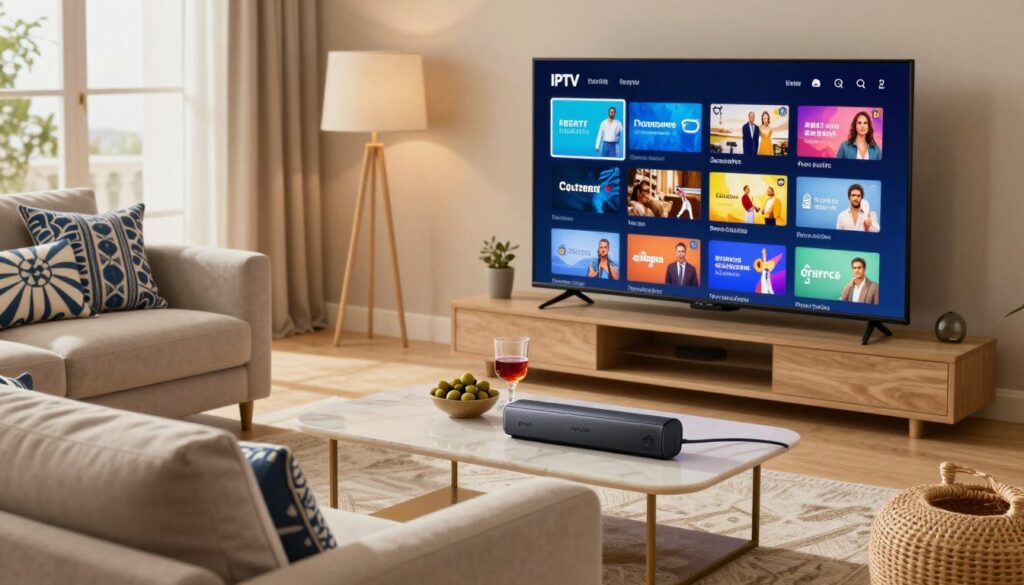
When picking a Greek IPTV service for your Firestick, start with a checklist. Look for a full EPG, long catch-up windows, and a big VOD library. Also, make sure there are clear language or audio-track options for Greek channels.
Strong uptime and support for H.264/H.265 are key. They help avoid playback issues when watching live sports or news.
Provider features are important. Check if they offer cloud DVR, 4K feeds, and a large VOD catalog. Test the EPG layout and catch-up during any trial. Trials let you see channel consistency and EPG accuracy before you commit.
Greek IPTV pricing has three main bands. Basic plans cost about €5–€15 a month and include core Greek channels with limited VOD. Standard plans near €15–€35 add multi-screen support and bigger catalogs. Premium plans at roughly €35–€55+ offer 4K, wider VOD, live sports, and cloud DVR.
Delivery methods differ among IPTV Greece providers. You might get M3U playlist URLs, Xtream Codes API credentials, or portal URLs for set-top boxes. Some offer automatic provisioning using a device MAC or activation key for instant setup.
Check trial options and simultaneous stream limits before subscribing. A short trial confirms channel stability, EPG mapping, and VOD playback. Look at refund and activation policies, and available contact channels like WhatsApp or email. Payment options often include credit cards, PayPal, and crypto for extra privacy.
Activation is usually simple. Provide the Smart IPTV or IBO PRO MAC address during checkout. Reputable IPTV Greece providers give clear instructions and deliver credentials or portal links quickly after payment.
Step-by-Step Firestick Installation Walkthrough
This guide helps you set up Firestick IPTV Greece quickly. Just follow each step and test streams during the trial. Use Ethernet for HD or 4K playback.
Step 1 — Install Downloader
Open the Amazon Appstore on your Fire TV. Search for Downloader, download and install it. To unlock Developer Options, go to Settings → My Fire TV → About and highlight the device seven times. Then, return to Settings and enable Install Unknown Apps for Downloader.
Step 2 — Sideload IBO PRO
Launch Downloader and enter the APK URL or short code from your IPTV provider. Press Go, wait for the APK to download, and choose Install. After installation, open IBO PRO to find the MAC address or activation key for provisioning.
Step 3 — Registering your device
Find the MAC address or key in the app. When subscribing, give this MAC during checkout or send it via email or WhatsApp. Providers use the MAC to auto-provision playlists, portals, or Xtream credentials for your device.
Step 4 — Test and tweak
Open several channels and test streams at different times. Check EPG, VOD access, and audio tracks. If playback stalls, adjust buffer size or codec settings. Keep Fire OS and apps updated. Clear app cache or reinstall if issues continue.
Practical tips
- Try Smart IPTV if you prefer a native option; it offers a seven-day trial and a one-time fee for permanent use.
- Document the MAC and provider contact for future activations or device swaps.
- For best stability with iptv greece streaming, use wired Ethernet or a 5 GHz Wi‑Fi link and test during the provider’s trial window.
Setting Up IPTV on Other Devices (Smart TV, Android TV, PC)
In Greece, many people watch TV on different devices. This guide helps you choose the best option for Samsung, LG, Android TV boxes, PCs, and phones. Each section is designed to help you find the right fit for your needs.
Smart TV options and when to use an external stick.
Some Smart TVs, like Samsung Tizen and LG webOS, might not have apps from providers. If your provider has a native app for your TV, follow their instructions for the best experience. Otherwise, an external device like Fire TV, Apple TV, or an Android TV box can offer more features.
Android TV boxes and TiviMate: advanced features and EPG mapping.
Android TV devices work well with TiviMate for detailed channel lists and EPG mapping. TiviMate supports M3U and Xtream inputs, making it easy to manage playlists. MAG set-top boxes handle portal URLs and Xtream credentials directly, perfect for those who prefer a dedicated receiver.
PC and macOS playback options.
On desktops, VLC can play M3U playlists through Media → Open Network Stream. IPTV Smarters PC client offers a native app experience for playlists and VOD. Many providers also have browser portals for easy access without extra software. For smooth playback, use wired Ethernet and modern hardware, like an Intel i3 or comparable CPU with 4 GB+ RAM.
Mobile setup on Android and iOS with data precautions.
Mobile apps like IPTV Smarters, IBO Player, or provider apps accept M3U and Xtream credentials. Always test streams on Wi-Fi before using mobile data. HD and 4K streams use a lot of data, so watch your usage and adjust quality settings when not connected to Wi-Fi.
| Device | Best Use | Key Apps / Inputs | Notes for Greece |
|---|---|---|---|
| Samsung Tizen / LG webOS | Native app when available | Provider native app, Smart IPTV MAC for some services | Use external stick if native app missing; check EPG support |
| Android TV box | Advanced TV features | TiviMate, IPTV Smarters, M3U, Xtream Codes | Great for IPTV Greece Android TV setups and EPG mapping |
| MAG set‑top | Plug‑and‑play portal use | Portal URL, Xtream credentials | Stable for long sessions, widely supported by providers |
| PC / macOS | Desktop viewing and recording | VLC, IPTV Smarters PC, browser portals | Prefer wired Ethernet; modern CPU and 4 GB+ RAM |
| Android / iOS | On‑the‑go viewing | IPTV Smarters, IBO Player, provider apps | Test on Wi‑Fi first; monitor mobile data for HD streams |
Many Greek providers allow access on different devices. When you sign up, you might need to provide a Smart IPTV MAC or app key. This links your Smart IPTV instance. Or, you can register devices with Xtream credentials for use on TV, PC, and mobile. Always keep your credentials safe and check device limits before subscribing.
Common Firestick Issues and Troubleshooting
Streaming can sometimes have small problems. This guide helps fix common issues on an Amazon Firestick with Greek IPTV services.
Fixes for buffering
First, check your internet speed. You need at least 20 Mbps for HD streaming. Try using a 5 GHz Wi-Fi band or a USB-to-Ethernet adapter.
Clear the IPTV app cache and close other apps running in the background. If problems persist, try lowering the stream quality. Rebooting your router and Firestick can also help refresh your network.
Dealing with login errors and expired links
Make sure your Xtream credentials are correct. Check the server URL, username, and password. Look for any typos or expired M3U URLs.
If a link doesn’t work, contact your provider for a new one. Test the same login details on another device like VLC or IPTV Smarters. This helps find if the problem is with your device or the service.
Xtream Codes issues and app corruption
For Xtream Codes problems, check if the provider’s server is working. Try again after a few minutes. If your app acts strangely, reboot your Fire TV.
Update Fire OS and the IPTV app to the latest versions. Clearing app data or reinstalling the client can fix issues and ensure smooth playback.
When to contact provider support
Before reaching out, have your MAC address or app key ready. Greek providers often use WhatsApp or email for help. Send your device’s MAC or IBO PRO/Smart IPTV key for subscription setup.
If your Smart IPTV trial ends, ask to reconnect or pay the activation fee if necessary.
Quick checklist for faster resolution
- Run speed test and switch to wired or 5 GHz Wi-Fi.
- Clear cache, lower resolution, reboot device and router.
- Verify Xtream credentials and M3U links for typos or expiry.
- Try an alternate player to rule out client issues.
- Document errors, then contact provider via WhatsApp or email with MAC/key.
Following these steps can help reduce buffering and solve common Firestick issues with IPTV Greece. Quickly addressing Xtream Codes problems ensures uninterrupted streaming.
Security, Legality, and Best Practices for IPTV Greece
Choosing an IPTV service in Greece is a careful balance. Make sure the provider clearly states their channel licensing and distribution rights. This openness helps you understand IPTV Greece legality for your home.
Confirming provider legitimacy
Ask for proof of content rights and written terms from the vendor. Reputable brands will share licensing details, server locations, and refund policies. If they dodge these questions, it’s wise to check their credentials through reviews and forums.
Account safety and payments
Use unique passwords and enable two-factor authentication when possible. Don’t share logins to avoid lockouts and breaches. Pay with credit cards, PayPal, or trusted crypto services for transaction records and dispute options.
Checking uptime and reliability
Good providers will share uptime and redundancy details. Ask about server locations, CDN use, and peak-time load testing. Request a short trial to see if they deliver on live events and sports.
Using trials to verify service quality
Trials let you test EPG accuracy, catch-up features, VOD catalogs, and stream limits. Confirm how they activate services like MAC address, portal URL, or activation key. Also, check their support response times via WhatsApp or email before committing.
Keeping devices secure
Keep Fire OS and IPTV apps updated to fix vulnerabilities. Install apps from trusted sources and prefer provider-recommended clients over random APKs. These steps enhance your IPTV Greece security and lower malware risks.
How to verify IPTV provider
- Check public reviews and community threads for consistent feedback.
- Request a trial and test during peak viewing hours.
- Confirm payment, refund, and auto-renew policies in writing.
- Ask for channel lists and proof of distribution rights.
By following these best practices, you can find a secure IPTV Greece service. It will respect content rights and protect your account and device.
Conclusion
Firestick is a great and cost-effective option for watching Greek channels. You don’t need extra hardware. Players like IBO PRO, IPTV Smarters, or Smart IPTV make setup easy. Most providers give you M3U playlists, Xtream Codes, or portal URLs.
For the best viewing, aim for 20 Mbps for HD and more for 4K. Use Ethernet or 5 GHz Wi-Fi. Make sure your device supports H.264/H.265 codecs. This helps avoid buffering and lets you enjoy all features.
When picking a provider, test with a trial first. Check the number of streams allowed and refund policies. Make sure the provider is real and reliable before you subscribe.
Before you start, enable Downloader and Developer Options on Firestick. Get the app MAC/key for setup. Test channels during the trial. If you have issues, contact support via WhatsApp or email.
Follow the guide and tips in this article. This will help you set up your Greek IPTV on Firestick and other devices. Enjoy your streaming experience!